Why is my washer shaking or vibrating so much?
Excessive washer shaking or vibrating is most often caused by uneven leveling, an unbalanced load, or shipping bolts left installed (new front-load installs). Many cases can be fixed safely without replacing parts. Clear checks and fixes are explained below.
⚠️ Safety First: Unplug the washer before adjusting feet or opening access panels. If the washer “walks,” stop the cycle immediately. Avoid reaching under a moving machine. Be cautious around sharp edges and heavy panels.
Tools Needed
| Item | Purpose |
|---|---|
| Bubble level | Check side-to-side and front-to-back level |
| Adjustable wrench | Adjust and lock leveling feet (jam nuts) |
| Work gloves (optional) | Grip and protect hands while adjusting or moving |
| Anti-vibration pads (optional) | Reduce noise transfer (not a leveling substitute) |
How Excessive Vibration Shows Up in Real Use
Last updated: January 4, 2026
A washer that’s shaking or vibrating can range from mild rattling to loud banging during spin. Because spin speeds are high, small setup errors become big movement. Most troubleshooting sequences start with load balance + leveling before suspecting worn suspension parts.
Quick triage:
- Shakes only during spin: load imbalance or leveling
- Walks across the floor: feet not locked, slick floor, or shipping bolts (new unit)
- Repeated banging/thumping: load clumping or worn suspension/shocks
Table of Contents
- 1) Common Reasons Washers Shake or Vibrate
- 2) Step-by-Step Stability Fix Protocol
- 3) Floor Type and Installation Factors
- 4) Preventing Vibration Long-Term
- 5) FAQ
- 6) How This Guide Was Prepared
- 7) Important Safety Notice
- 8) References
1) Common Reasons Washers Shake or Vibrate
- Uneven leveling: One or more feet not firmly contacting the floor
- Unbalanced loads: Single heavy items (blankets, rugs) clump to one side
- Shipping bolts left installed: Common with new front-load washers
- Worn suspension/shocks: Allows excessive tub movement (often older machines)
- Weak or flexible floor: Wood/joist floors can amplify movement
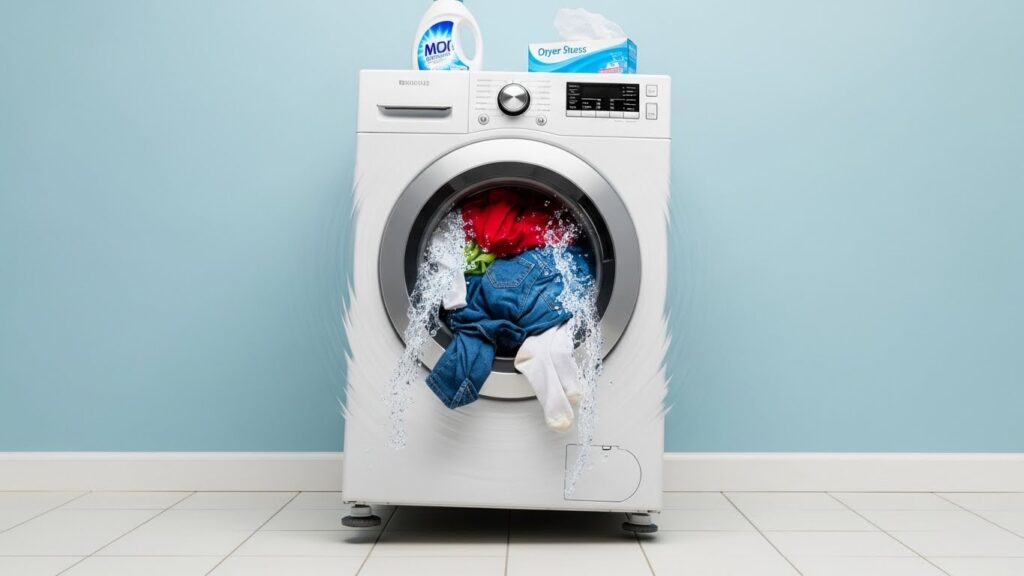
2) Step-by-Step Stability Fix Protocol
Step 1 — Pause the cycle and fix the load first
Stop the washer and redistribute items evenly. If you’re washing one heavy piece (like a rug), add a few smaller items so weight can spread more evenly. Then restart a spin or rinse & spin test.
Step 2 — Perform the “Diagonal Rock Test” (fastest leveling clue)
With the washer off, press down on two opposite corners (front-right + back-left), then switch (front-left + back-right). If you feel any wobble, at least one leveling foot isn’t firmly contacting the floor.
Step 3 — Level the washer and lock the feet (don’t skip the lock)
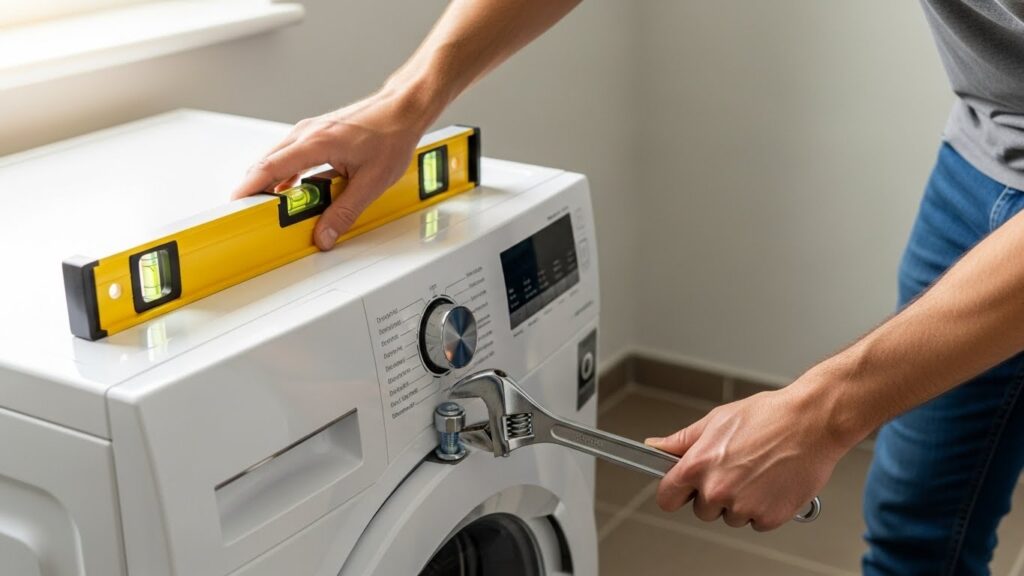
Place a bubble level on the washer top. Adjust feet until the machine is level side-to-side and front-to-back. Then tighten the lock nut/jam nut against the frame so the foot can’t slowly back out over time. Re-test the diagonal rock after tightening.
Step 4 — Check shipping bolts (new front-load installs)
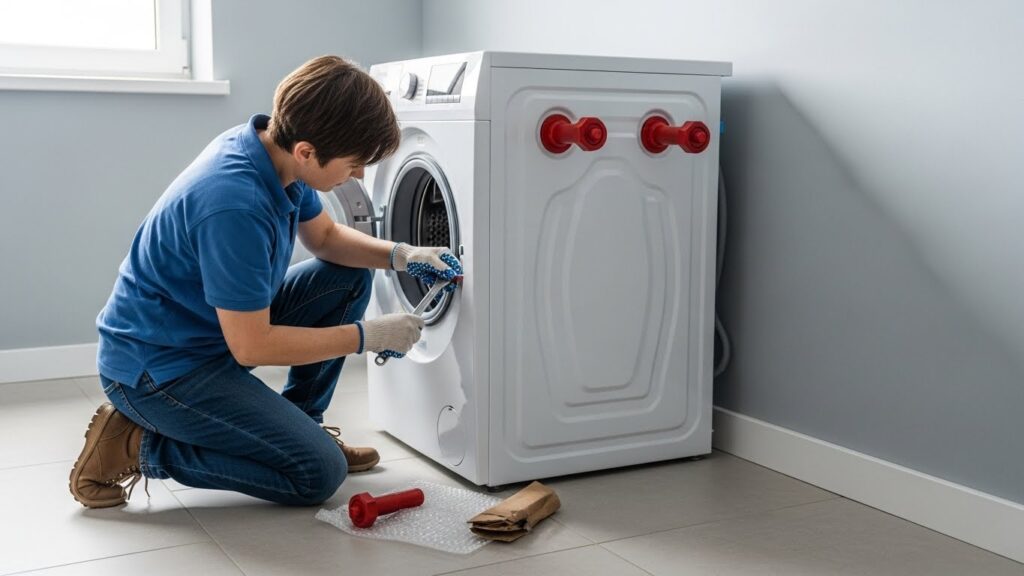
If the washer is new or recently moved, check the back panel for shipping/transit bolts. These must be removed following the installation manual. A front-load washer can shake severely if bolts remain installed.
Step 5 — Quick suspension check (before you assume “parts”)
If the washer is level and loads are balanced but shaking persists:
- Top-load: The tub may move excessively if suspension rods are worn.
- Front-load: Shocks/struts can wear and allow repeated banging during spin.
Stop point: If checking suspension requires removing major panels, or the unit is under warranty, it’s safer to use a qualified technician or the manufacturer’s service route.
3) Floor Type and Installation Factors
- Concrete floors: Usually the most stable base for high-speed spin
- Wood/joist floors: Can flex and amplify vibration even when the washer is level
- Tile/slippery surfaces: More likely to “walk” unless feet are locked and grippy
- Stacked units: Use manufacturer-approved stacking kits only
Reality check: Anti-vibration pads may reduce noise transfer, but they won’t fix a washer that’s out of level or a load that’s clumped.
4) Preventing Vibration Long-Term
- Balance loads: Avoid single-item heavy washes whenever possible
- Don’t overload: A packed drum can’t redistribute properly
- Re-check after moving: Any relocation usually requires re-leveling
- Lock nuts matter: Once level, tighten jam nuts so feet don’t drift loose
- Inspect yearly (older units): Early wear signs are better caught before severe banging starts
5) FAQ
Why does my washer shake only during spin?
Spin is when the drum is fastest. Any leveling issue or load clumping is amplified. Start with load redistribution, then confirm all four feet are firmly planted and locked.
Do anti-vibration pads actually fix shaking?
They can reduce noise transfer into the floor, but they won’t correct an unlevel washer or an unbalanced load. Use them as a comfort add-on after you fix leveling.
Why does my washer “walk” forward?
Typically: feet not locked, slick flooring, or a heavy load clumping to one side. If the washer is new, double-check that shipping bolts were removed (front-load).
When should I call a technician?
If the washer is level, loads are balanced, shipping bolts are confirmed removed (if applicable), and you still get repeated banging or severe movement—especially if it suggests worn suspension/shocks.
6) How This Guide Was Prepared
This guide follows common troubleshooting priorities emphasized across manufacturer support resources: correct loading, confirm leveling, verify shipping bolt removal, then consider suspension wear. Steps are written to stay within typical homeowner-safe actions.
7) Important Safety & Information Notice
This article is for general informational purposes only. Washing machine servicing may involve heavy parts, sharp edges, electrical components, and water exposure. Always follow your manufacturer’s instructions. If you are unsure or uncomfortable, contact a qualified appliance technician.
8) References (Verified working pages)
- Whirlpool Product Help — Washer is Vibrating, Walking or Moving
- GE Appliances Support — Front Load Washer – Walking, Vibrating, Shaking, or Moving
- Samsung Support — Samsung washing machine is shaking
Related Guides on This Site

I publish step-by-step troubleshooting guides for common home appliance issues (washer, dryer, refrigerator, HVAC basics).
Content is written for everyday homeowners and cross-checked with manufacturer manuals, safety guidance, and trusted public resources.
Posts include practical checks, clear stop-signs for safety, and guidance on when it’s better to call a qualified technician. Updates are logged whenever steps or recommendations change.
Safety note: If you smell gas, see burning, or suspect electrical hazards—stop immediately and contact a qualified professional.