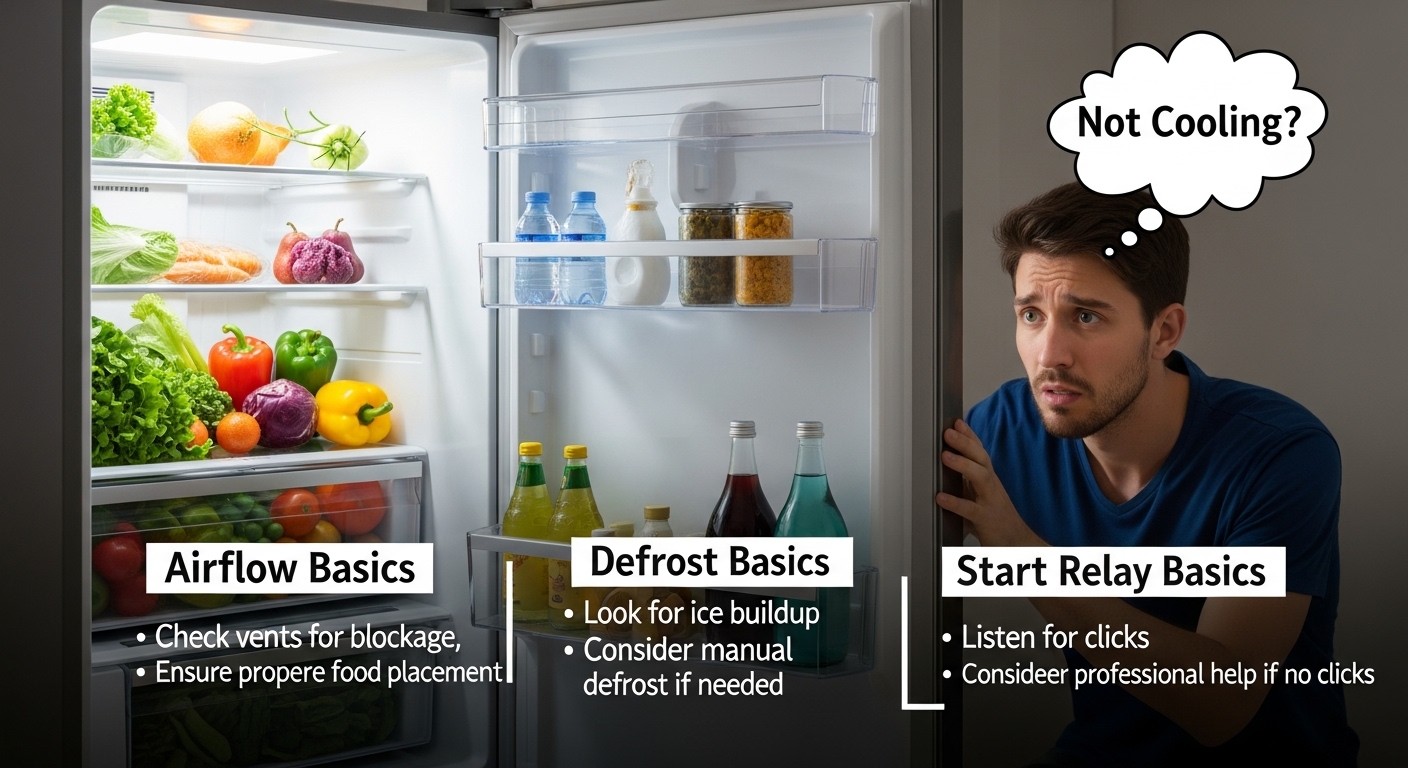
Refrigerator light on but not cooling? Treat it like a “power is fine, cooling chain is broken” problem — and test the chain in a safe order.
The fastest path is: (1) confirm temperatures with a thermometer, (2) confirm airflow (fans + vents + coils), (3) listen for compressor behavior, (4) rule out stuck defrost/diagnostic states, (5) only then think “start relay/inverter/control board.”
Key number #1 Food-safety target: fridge at 40°F (4°C) or below, freezer at 0°F (-18°C).
Why 40°F matters: it’s the start of the “Danger Zone” (40–140°F), where bacteria can multiply quickly.
Key number #2A “looks normal” control panel can hide a cooling failure — always verify with an appliance thermometer first.
Key number #3Some fridges pause cooling during defrost; on many models, it can feel “dead” for 30–45 minutes while still powered.
Why this one-page guide exists
- “Light works” proves you have some power — not that the compressor + fans are actually running.
- Most wasted repairs come from skipping basics: airflow blockage, fans not running, dust-choked coils, or a stuck mode.
- This page is built so you can make a clean call: DIY-safe checks vs stop and call service — without guesswork.
⚠️ Safety first (read before you touch anything)
- Unplug the refrigerator before removing panels or reaching near the compressor/fans.
- Don’t poke sealed-system lines (refrigerant circuit). If you suspect a sealed-system issue, that’s a pro job.
- Stop immediately if you smell burning, see melted plastic, or the outlet/cord feels hot.
Updated: 2026-01-31 • One-page plan: thermometer → airflow/coils → compressor clues → defrost/diagnostic reset → safe next steps
Review standard: built from manufacturer guidance + appliance-tech style troubleshooting patterns (no affiliation).
This is one of the most confusing fridge failures because it feels like “the fridge has power” — the light comes on, maybe the display looks normal — but your food is warming up anyway. What that often means is simple: power exists, but the cooling chain is interrupted somewhere. The goal here is to prove where the chain breaks using checks that are safe and realistic for a normal homeowner.
How cooling works (in plain English)
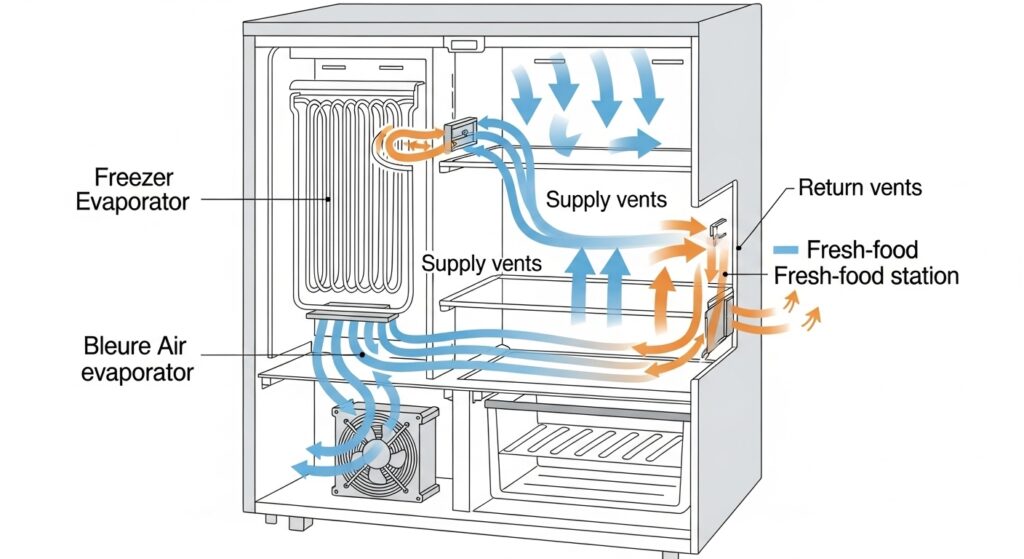
Think of your refrigerator as two jobs happening at the same time: (A) making cold (compressor + refrigerant loop) and (B) moving that cold (evaporator fan inside + airflow paths). The light proves the door circuit works — but it does not prove the compressor is running or that air is moving where it should.
$$Cooling = (Power \land Controls) \rightarrow (Compressor \land Fans) \rightarrow (Airflow \rightarrow Stable\ Temp)$$
You don’t need to “know the formula.” The point is simple: if one link fails (controls, compressor, fans, or airflow), the fridge can look alive but won’t stay cold.
| Link in the chain | What it does | What you notice when it fails |
|---|---|---|
| Controls / settings | Tells the fridge when to cool | Lights work; temps drift; “Cooling Off/Demo/Sabbath/Vacation” may be enabled. |
| Defrost / diagnostic state | Pauses cooling temporarily | Looks powered but no compressor/fans for a while; may recover after reset. |
| Fans + airflow | Moves cold air through compartments | Freezer might stay colder than fridge; weak airflow at vents. |
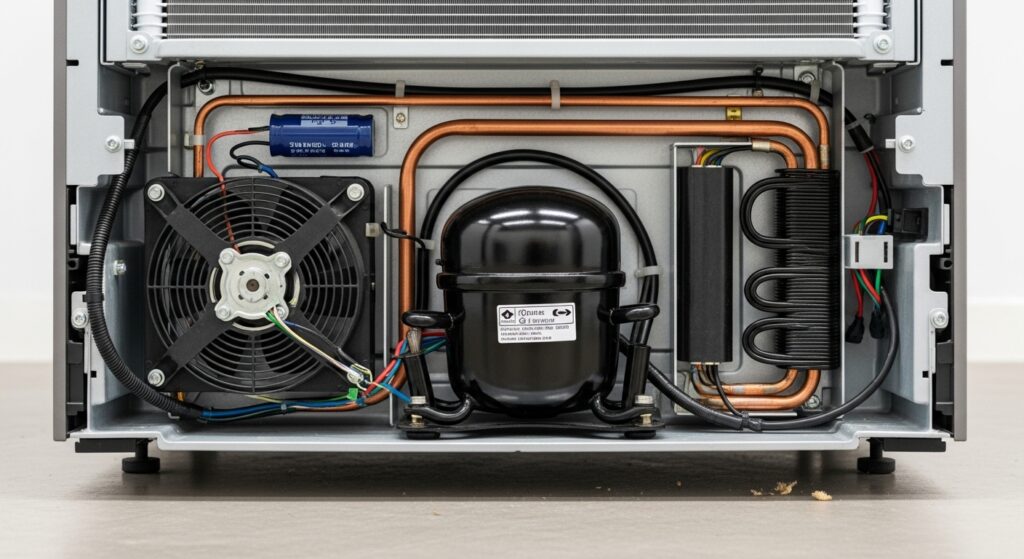
| Compressor start/run | Creates cooling power | Warm everywhere; you may hear repeated clicking or a hum that stops. |
Priority fix protocol (5 steps, safest order)
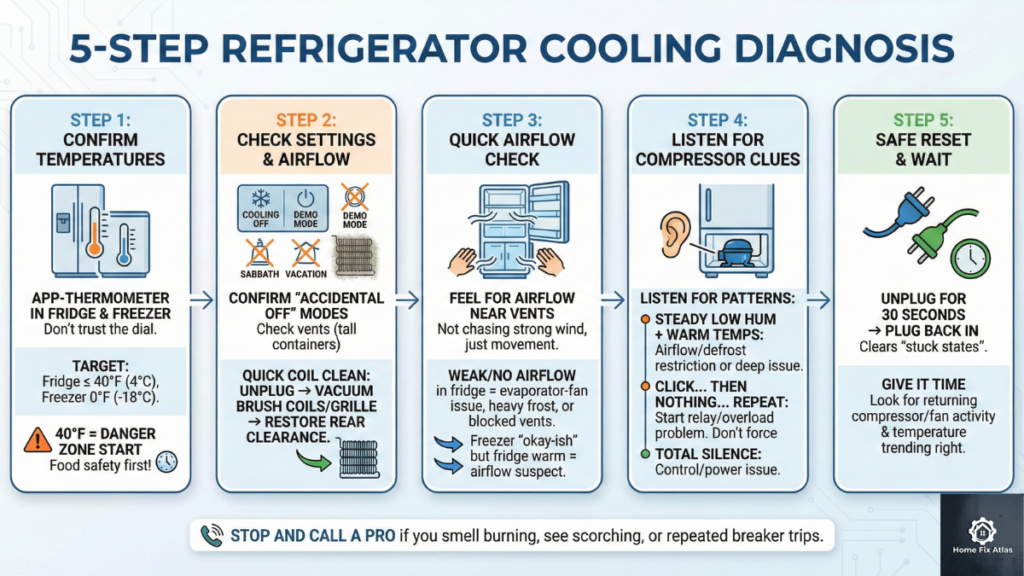
- Step 1 — Confirm the problem with a thermometer (don’t trust the dial):
Put an appliance thermometer in the fridge and freezer. Target is fridge 40°F (4°C) or below and freezer 0°F (-18°C).
Why this matters: 40°F is the “Danger Zone” start — if you’re above it, think food safety first (move perishables, diagnose fast). - Step 2 — Check “accidental Off” + airflow killers (vents + coils):
Confirm you’re not in “Cooling Off / Demo Mode / Sabbath / Vacation” (varies by model). Then check that interior vents aren’t blocked by tall containers.
Next, do a quick back-of-fridge sanity check: if condenser coils are packed with dust or the rear airflow is smothered, cooling performance can collapse.
Quick coil clean: unplug → vacuum brush/coil brush on visible coils + grille area (gentle) → restore airflow clearance behind the fridge. - Step 3 — Quick airflow reality-check (no tools):
Open the freezer and feel for airflow near vents (you’re not chasing a strong wind — just consistent movement).
In the fridge section, feel the supply vent: weak/no airflow often points to an evaporator-fan issue, heavy frost restricting circulation, or blocked vents.
If the freezer is “okay-ish” but the fridge is warm, airflow is a top suspect. - Step 4 — Listen for compressor clues (hum, click, silence):
Stand near the back/bottom and listen for patterns:- Steady low hum + warm temps: could be airflow/defrost restriction or a deeper cooling-system issue.
- Click… then nothing… repeat: very commonly a start relay/overload (start device) problem or compressor struggle — don’t keep forcing restarts.
- Total silence (no fan/no compressor): control/state problem, defrost/diagnostic mode, or a power-supply issue beyond “the light.”
- Step 5 — Safe reset for “stuck state” (defrost/diagnostic glitch):
Unplug the fridge for 30 seconds, then plug it back in. If the unit was stuck in an odd state, this often clears it.
After reset, give it time. You’re looking for compressor/fan activity returning and temperatures trending the right way — not instant “feels cold.”
Pro tip (fast pattern recognition)
If the freezer is colder than the fridge, don’t jump straight to the control board. That pattern often screams airflow imbalance first (blocked vents, fan problem, or heavy frost restricting circulation). If you see a thick frost “wall” in the freezer, that’s a strong defrost/airflow clue — and service may be the safer call.
2-hour “trend check” (beginner-proof, prevents misdiagnosis)
- 1) Thermometer: write down fridge/freezer temps now (don’t guess by feel).
- 2) Sounds: note “hum steady” vs “click-repeat” vs “silent.”
- 3) Re-check in 2 hours: if temps don’t move toward 40°F/0°F, it’s time to stop cycling power and consider service.
Diagnostic matrix (refrigerator light on but not cooling symptoms → best next move)
| What you notice | Most likely bucket | Best first move | DIY boundary |
|---|---|---|---|
| Fridge light on but freezer cold and fridge warm | Airflow / vent / evaporator fan / frost restriction | Unblock vents → feel airflow → listen for evaporator fan | If heavy frost is suspected, don’t chip ice with tools. |
| Warm everywhere, compressor silent | Control state, defrost/diagnostic, or power-supply chain | Confirm settings → 30-second reset → wait for activity | If still dead, service is usually safer. |
| Refrigerator clicking but not cooling | Start relay/overload or compressor struggle | Stop repeated restarts → reset once → monitor for stable run | Internal electrical testing = higher risk. |
| Fans run, still warms up | Coils/ventilation issue, airflow path blockage, or deeper cooling-system issue | Clean coils/restore rear airflow → verify vent flow → trend temps 2–4 hours | If temps don’t drop, service likely needed. |
| Burning smell / hot outlet / melted plastic | Electrical hazard | Unplug immediately and call qualified service | Stop now. |
Timing plan (what to do today)
| Time window | Do this | What you’re proving |
|---|---|---|
| 0–15 minutes | Thermometer check + vent blockage check + settings review | Whether you have a real cooling failure vs an airflow/setting issue |
| 15–45 minutes | Listen for compressor/fans + check coils/rear airflow + do one 30-second reset | Whether the unit is stuck, overheating from poor ventilation, or failing to start cooling |
| 2–4 hours | Track temperature trend (thermometer), not “feel” | Whether cooling is recovering or you need service |
Before you call service (saves time, helps you get the right diagnosis)
- Model/serial: take a quick photo of the sticker.
- Temps: fridge °F and freezer °F (actual numbers).
- Pattern: “click-repeat” vs “steady hum” vs “silent.”
- Difference clue: freezer cold but fridge warm? (airflow signal)
- Context: started after a power outage / moved fridge / changed settings?
Common mistakes (that waste time and money)
- Trusting the control knob/display instead of a thermometer. Your hand can’t reliably detect 40°F vs 48°F.
- Assuming “light on” means “compressor must be running.” Different circuits can still be alive.
- Over-packing vents. A single tall container can block the supply or return path and make the fridge warm.
- Ignoring coils and rear airflow. Dust and blocked ventilation can quietly kill cooling performance.
- Forcing repeated restarts. If you hear click-reset cycles, stop hammering power — repeated attempts can worsen a failing start condition.
Serious cases (stop and call service)
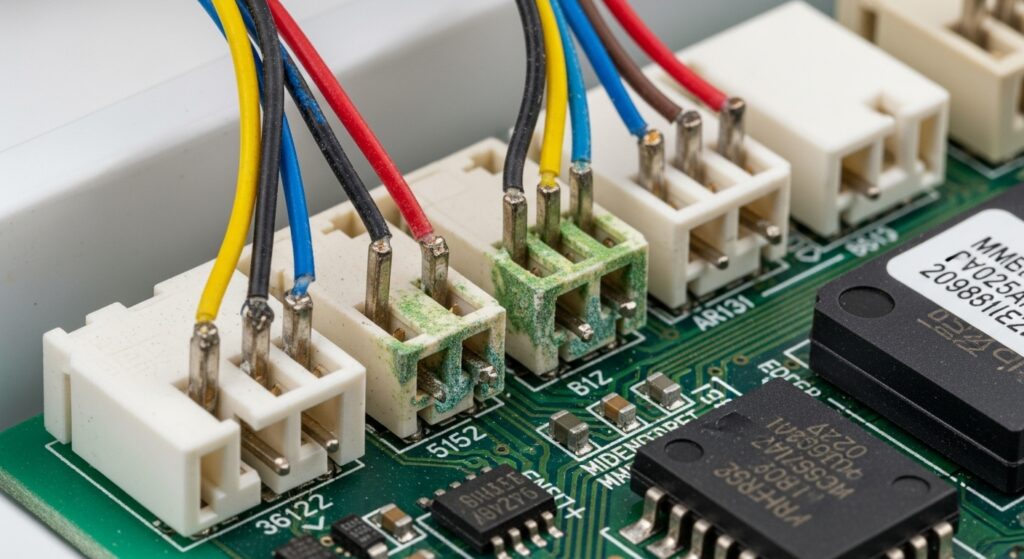
If you smell burning, see melted wiring/plastic, the outlet/cord gets hot, breakers trip, or the compressor makes loud repeated clicking without ever stabilizing, stop use and contact a qualified technician. Sealed-system and high-voltage repairs are not “trial and error” territory.
FAQ
If the light is on, does that mean the compressor is getting power?
Not necessarily. The light often sits on a simpler door/power path. Cooling components can still be off due to settings, a defrost/diagnostic state, or a failed start/run chain.
Fridge light on but freezer cold and fridge warm — what does that usually mean?
That pattern usually points to airflow. Cold is made in the freezer area and shared through vents. If vents are blocked or the evaporator fan can’t move air properly, the fridge side warms first even though the freezer can feel “not terrible.”
Refrigerator clicking but not cooling — is that the start relay?
It can be. A repeating click near the compressor often happens when a start device (relay/overload) can’t get the compressor running, or the compressor struggles and shuts down. Don’t keep cycling power — do one reset, then watch for a stable run and temperature improvement.
Can defrost make it seem like the fridge stopped cooling for a while?
Yes. Some models pause compressor/fan activity during defrost and can look “dead” temporarily even though power is fine. If it lasts far beyond the normal window or keeps repeating with warming temps, that’s a different story (defrost control issue or airflow restriction).
How do I enter forced defrost on LG/GE (or other brands)?
Forced defrost methods are model-specific and are often printed on a tech sheet (sometimes behind the toe grille, in a control housing, or taped to the back panel). On many LG/GE units it involves a specific button combo or service mode — don’t guess. Find the tech sheet and follow the exact “Forced Defrost/Service Mode” steps listed for your model.
Reset fridge after power outage — what’s the safest approach?
First confirm temps with a thermometer and check vents. A simple 30-second unplug reset is a safe first move. After that, avoid repeated rapid resets — you’re looking for stable compressor/fan activity and a temperature trend in the right direction over 2–4 hours.
Is this always a control board problem?
No. Control boards get blamed because they’re mysterious. In reality, airflow restrictions, dirty coils/poor ventilation, stuck modes, or a start/run failure can mimic a “bad board.” That’s why this guide forces a thermometer + airflow + behavior check first.
When should I stop DIY and call service?
If temps stay unsafe after the basic steps, you hear repeated click cycles, you see electrical heat/burning signs, or you suspect sealed-system trouble, it’s safer (and usually cheaper long-term) to get professional diagnosis.
Internal Links
- https://homefixatlas.com/refrigerator-not-cooling-fix-guide/ — Full “not cooling” checklist (coils, airflow, seals) when you need a broader diagnostic path.
- https://homefixatlas.com/refrigerator-not-cooling-after-power-outage/ — What to check after an outage: safe reset steps and when to stop cycling power.
- https://homefixatlas.com/refrigerator-making-clicking-or-buzzing-noises/ — Noise decoder: what clicking/buzzing often means and which sounds are “stop now” signals.
References
- FDA: Refrigerator thermometers & safe temperatures (40°F fridge / 0°F freezer)
- FoodSafety.gov: “Danger Zone” reminder (40°F–140°F)
- GE Appliances Support: Diagnosing a refrigerator that does not run or cool (controls/defrost notes)
- iFixit: Start relay continuity testing overview (multimeter basics)
- RepairClinic: Start relay troubleshooting concept (common “won’t start” pattern)
Safety notice
This guide is informational and uses safe, external checks first. Internal electrical testing and sealed-system work can be hazardous. If you notice heat/burning signs, repeated start clicking, hot outlets, or you’re unsure about access panels, stop and contact a qualified professional.
Update log: 2026-01-31

I publish step-by-step troubleshooting guides for common home appliance issues (washer, dryer, refrigerator, HVAC basics).
Content is written for everyday homeowners and cross-checked with manufacturer manuals, safety guidance, and trusted public resources.
Posts include practical checks, clear stop-signs for safety, and guidance on when it’s better to call a qualified technician. Updates are logged whenever steps or recommendations change.
Safety note: If you smell gas, see burning, or suspect electrical hazards—stop immediately and contact a qualified professional.